
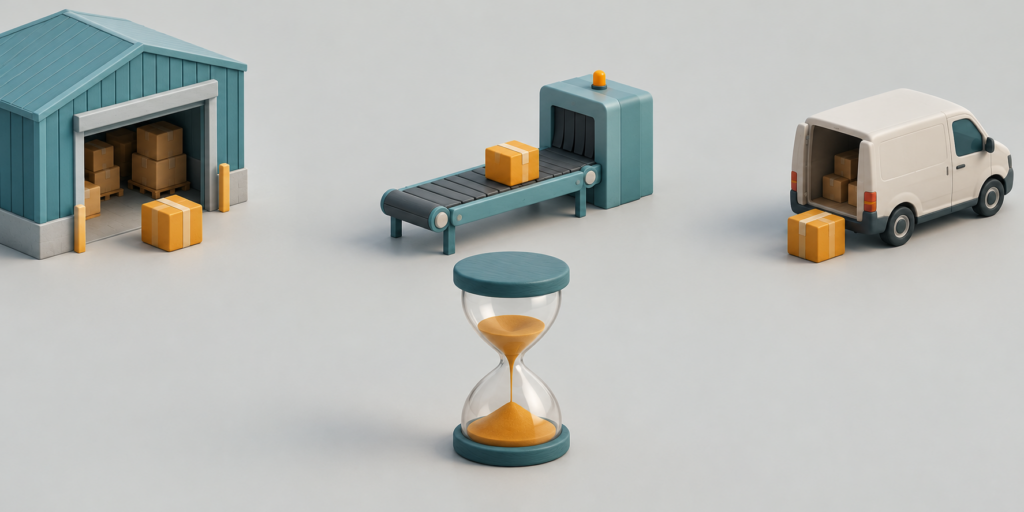
A parcel moves from a loading bay to a sorting belt and then into a delivery van. The whole journey takes a few seconds on screen. For someone learning the broad shape of a logistics process, the sequence may be helpful. For someone trying to understand how long a shipment will take, the same sequence can be misleading.
Before commissioning that clip through an AI Video Generator, decide which question it answers. Showing that sorting precedes dispatch is different from showing the duration of either stage. A short generated illustration can explain an order of operations while carrying no measured information about waiting, handling, or transport time. The distinction needs to survive the finished presentation.
Separate the Process Claim From the Timing Claim
A process illustration says that one event leads to another. A timing explanation says how long events or intervals take under stated conditions. Those claims need different evidence. A team can review a diagram to confirm that a parcel moves from receipt to sorting before dispatch. Confirming a delivery estimate would require operational information that an invented moving picture does not contain.
Consider a hypothetical distributor using an AI video generator to prepare an introductory video for new commercial customers. The purpose is to explain where an order goes after it is accepted. That is a reasonable scope for a simplified sequence. The purpose changes if the presenter begins using the same video to suggest that all orders leave immediately or move through every facility without interruption.
MakeShot offers text-to-video generation for constructing illustrative scenes. A business can explore a stylised parcel journey through that route, but the result should be treated as visual material, not a simulation of the business. Nothing about a convincingly moving conveyor establishes its capacity. Nothing about an empty loading bay establishes that a real loading bay will be available when an order arrives.
Write the intended claim before preparing the scene: this clip introduces the stages through which an order may pass. Keep delivery commitments in the accompanying information supported by the business’s actual process. This division makes the visual easier to review because the reviewer can concentrate on stage order without being asked to infer performance from animation speed.
How Simplified Scenes Can Preserve the Stage Order
Choose only the stages the audience needs to recognise. A short introduction might show arrival, sorting, and dispatch. It need not depict every scan, internal transfer, or exception. Omitting detail is acceptable when the omission is visible as simplification and does not reverse the explanation. For example, a parcel should not appear in the delivery vehicle before the scene meant to show its sorting.
MakeShot can generate from a description or start from an image. A deliberately stylised reference can help keep the scene in the category of illustration. Plain boxes and an abstract warehouse are less likely to be mistaken for footage of a particular facility than a highly specific building with invented operational details. That is an editorial choice, not a claim that stylisation alone prevents misunderstanding.
Keep the parcel easy to follow. A visible colour patch can distinguish the example box from its surroundings without implying a real tracking system. Describe the central transfer plainly. If the generated result changes the parcel’s shape or moves it through a wall, it may undermine even the limited stage-order explanation. A process can be simplified without making its transitions impossible to understand.
Sometimes separate short scenes explain the sequence more reliably than one ambitious continuous shot. A cut between sorting and dispatch can make the change of stage explicit. The editor still has to assemble and label the final sequence in an appropriate editing workflow. Do not assume a video generator automatically produces a verified process diagram because the prompt names the correct stages.
Inspect the Transitions That Hide Waiting and Rework
The most consequential part of a polished logistics clip may be what happens between its attractive scenes. A cut can erase a queue. A smooth movement can erase an inspection, and a van departure can imply that every parcel was ready at once. Ask a process owner to identify where the illustration compresses real activity, including any stage where an item could pause or return for attention.
The video generator AI output can supply those scenes, but the process owner supplies the operational meaning. If a transition implies that receipt guarantees immediate dispatch, change the presentation. A clearly separated stage card, an explicit narration line, or a less continuous sequence may communicate the intended scope better than another visually seamless take.
A useful review question is: could a viewer mistake this transition for a promise? That question catches problems that a visual quality check misses. A box moving smoothly between two areas may look excellent while suggesting that no inspection occurs. The correction should address the implication, rather than simply making the image more realistic. Realistic surfaces would make the unsupported suggestion more persuasive.
A reviewer can test this by describing only what the transition visibly establishes. If the description includes a duration or a guarantee that was never supplied by operational evidence, the presentation is inviting an inference it cannot support. That is a reason to revise the transition, even when the underlying stage order is correct.
Where a process includes exceptions, decide whether they belong in this introduction or in a separate explanation. An introductory clip cannot carry every possible route without becoming unreadable. It can, however, avoid presenting the simplified route as universal. The surrounding copy can identify it as an example and direct the audience to the actual terms or procedures relevant to their shipment.
Keep Measured Durations Outside the Generated Motion
If the presentation needs elapsed time, add verified information separately and state what it describes. A handling target, a transport estimate, and a full order-to-delivery estimate are not interchangeable. Use the business’s approved definitions. The generation process cannot fill missing measurements, and a clip’s playback length should never become an accidental substitute for them.
One simple editorial check is to watch the sequence without its narration and ask what timing a viewer might infer. Then restore the explanation and see whether it corrects that inference clearly. This is a proposed comprehension check, not a measured study. If the visual still suggests instant movement through the entire network, simplify the transitions or show the stages as distinct illustrations.
Use the Clip to Orient the Customer
MakeShot can be useful for a business that wants to explore a clear, openly illustrative introduction to a process. It is not a replacement for facility footage, operational records, or a supported delivery estimate. The finished clip should help a customer recognise what happens next without asking them to read performance data from invented motion.
Approve the sequence for that limited purpose, and keep timing information attached to its real evidence. A customer should recognise the stages and know where to find the applicable delivery estimate.